There's something strangely satisfying about recording your screen. Whether you're showing someone how to adjust a setting, saving a streaming moment, or creating a tutorial, it's all about finding the right tool that works without getting in your way. However, the number of video capture programs available is enough to make your head spin.
Some are packed with features you’ll never touch, while others are so basic they leave you wanting more. So here’s a clear look at five of the best options out there. No hype. No jargon. Just tools that work—and how to choose the right one.
Top 5 Video Capture Software That Actually Work Well
OBS Studio
OBS Studio has been around for a while, and for good reason. It’s open-source, completely free, and works on Windows, Mac, and Linux. That alone makes it a favorite for a lot of users. But what really stands out is how much control it gives you.
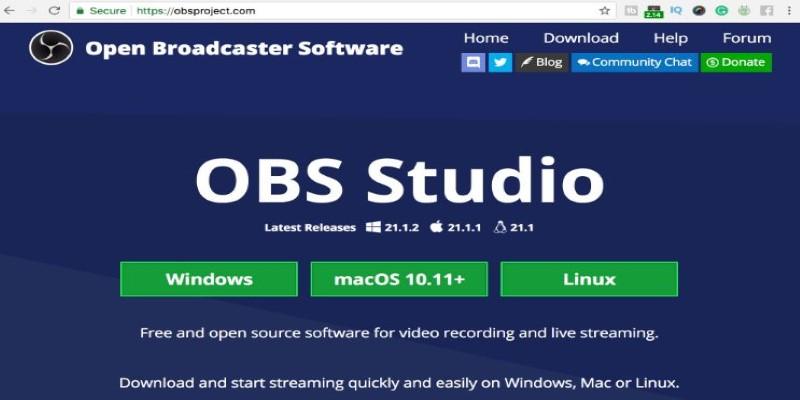
You can record your whole screen, a specific window, or just part of your screen. It's great for streaming, too, if that's your thing. The software lets you set up multiple scenes, each with its sources and layout. You can flip between scenes with a hotkey, making it feel smooth and polished.
That said, OBS does have a learning curve. The interface isn’t the most friendly when you first open it. But once you understand how things are organized, it’s solid. If you want something powerful and you’re okay with spending a little time figuring things out, OBS delivers without costing a cent.
Bandicam
Bandicam is built with a simple goal: to record your screen, your games, or your external devices without hassle. It’s only available on Windows, and it’s not free—but it does a good job at what it promises.
One thing Bandicam does really well is compress the video while recording. That means smaller files, which saves space on your hard drive. And the quality still holds up. If you’re recording long sessions, this matters more than you think.
There’s a neat mode just for games, which hooks directly into DirectX or OpenGL. It makes for smoother recordings, especially with older machines. You can record in 4K, add your webcam overlay, and even draw on the screen while recording.
It’s not as customizable as OBS, and the free version comes with a watermark. But for straight-up recording with low impact on system resources, Bandicam is a good bet—especially if you want to keep things fast and simple.
Camtasia
Camtasia is different from the others on this list because it’s not just about recording. It’s also about editing. That’s what sets it apart.
Once you record something, Camtasia drops it into its built-in video editor. You can trim, cut, add callouts, drop in transitions, and even use pre-made templates. For people creating training videos, explainer clips, or walkthroughs, this all-in-one approach saves time. You don’t need to bounce between a capture tool and a separate editor.
But there’s a trade-off: price. Camtasia isn’t cheap. It’s aimed at professionals or educators who need to turn around polished videos without hiring someone. If that’s you, it might be worth it. If you just need to capture a few minutes of footage now and then, it’s probably overkill.
Still, the software is clean and well-organized. There’s no guessing where tools are or what buttons do. It feels built for people who want to focus on content, not fiddling with settings.
ShareX
ShareX is one of those rare free tools that surprises you. It’s not flashy, and the interface looks like it came from 2005—but underneath, it’s loaded with features.

You can record your screen, a region, a window, or even use hotkeys to take quick screenshots. ShareX supports custom workflows, like uploading your file to cloud storage right after recording. You can set it to record a GIF, save it to a folder, and open the folder automatically. Once you set it up, it just works.
But the power here can be a bit overwhelming. If all you need is a basic screen recorder, ShareX may feel like overkill. It's more like a toolbox than a single tool. There is no built-in video editor, and the layout requires some getting used to.
Still, for someone who loves to automate or needs detailed control over file types, naming, or upload settings, it’s hard to beat—especially since it doesn’t cost a dime.
Snagit
Snagit is built for those who don’t want to deal with complexity. It’s not made for gamers or high-end streamers—it’s aimed at people who capture their screens for work or study and want it to be fast and easy.
It’s smooth. You press a hotkey, grab what you need—full screen, a window, or a region—and Snagit lets you add arrows, shapes, text, or highlight something quickly. It’s got a simple editor that focuses on basic trimming and annotations. There’s even a text-grab feature that pulls text from your screenshot.
The downside? It’s not cheap, and the video recording options are limited compared to others. You won’t find multi-track editing or fancy overlays. But for someone who needs clean, clear videos and doesn’t want to spend time learning a complicated tool, it’s ideal.
Snagit is for professionals who do this daily and value speed over deep editing features. It works well, feels responsive, and stays out of your way.
Conclusion
Finding the best video capture software doesn’t mean grabbing the flashiest one. It’s about getting a tool that fits your habits. Whether you need a simple way to record your screen or a full editing suite, there’s something out there that fits without wasting your time. OBS, Bandicam, Camtasia, ShareX, and Snagit each bring something different. Take a moment to figure out what matters to you—speed, simplicity, editing, automation—and the right one becomes obvious. The best tool isn’t the one with the longest list of features. It’s the one that gets the job done without getting in the way.